I was spending two hours every morning scrolling LinkedIn.
Checking who liked what. Clicking through profiles. Noting job changes. Researching companies. By the time I actually talked to someone, half my day was gone.
The irony: I build AI systems for a living. But I was still doing prospect research like it was 2019.
Then I asked a different question. Not "how do I scroll faster?" but: what if an AI agent did the scrolling for me?
What Are Signals?
Every time someone interacts with content online, they're leaving a trail. In sales, we call these signals — clues that someone is interested in what you do, even if they haven't told you directly.
Here are the signals hiding in plain sight:
- Liked a post about a topic you sell — they're interested
- Follows influencers in your space — they're learning about your market
- Commented with a question — they have a problem to solve
- Changed jobs recently — 70% of new leaders allocate budget in their first 100 days
- Their company is hiring in relevant departments — they're scaling, they need tools
Individually, these signals are noise. But stack three of them on the same person — liked posts from two influencers AND just changed jobs — and you have a warm lead.
Research shows that stacked signals convert 3-5x better than cold outreach.
The problem? Tracking all of this manually is impossible.
The Browser Is the API
Most platforms don't make engagement data easily accessible. LinkedIn's reaction data requires partner-level API approval. X has a paid API, but it's capped at 100 likers per tweet. Glassdoor discontinued its API entirely in 2024.
But all of them have one thing in common: a browser.
And in 2026, AI agents can control browsers. They can log in, navigate, click, scroll, and extract data — the same way you do, just faster and while you sleep.
This is the insight that changed everything for me.
The Browser Automation Landscape in 2026
If you'd asked me about browser automation two years ago, I'd have said "Selenium" and moved on. Today, the landscape is completely different. AI agents have their own browser tools now.
Already in Your Browser
Chrome Auto Browse (Google) — Google built an agent mode directly into Chrome, powered by Gemini. You describe what you want, and Chrome does it.
Claude in Chrome (Anthropic) — A Chrome extension that gives you an AI copilot as a sidebar. It can see what's on your screen and help you interact with it.
These aren't developer tools. They're features regular users will have by default.
For Building Agent Pipelines
Puppeteer / Playwright — The foundation. Google and Microsoft's libraries for controlling a browser programmatically. I use Puppeteer in my production system.
Agent Browser (Vercel Labs) — A CLI built specifically for AI agents. What makes it special: a dashboard that shows you what the agent sees in real-time, and a --profile flag for persistent login sessions. I used this for the live demo in my podcast appearance.
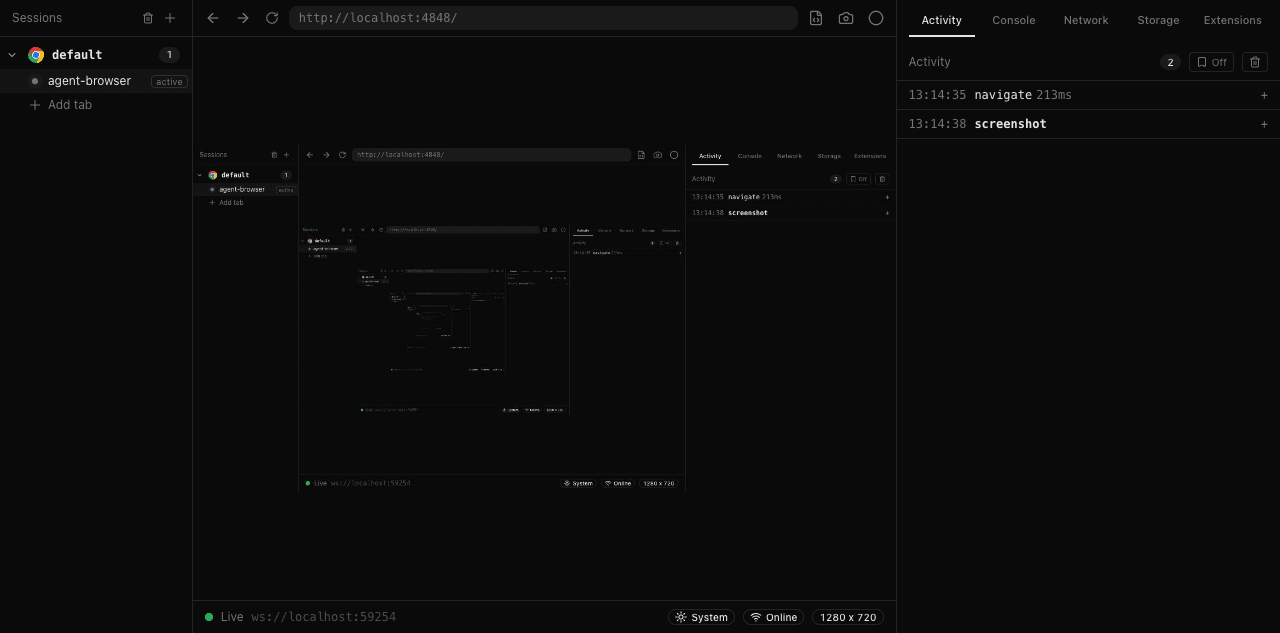 The Agent Browser dashboard streams a live viewport of what the agent sees
Stagehand (Browserbase) — The newest framework, completely rewritten in early 2026. Talks directly to Chrome's DevTools Protocol, making it significantly faster. Open source.
Browser Use — Open-source Python framework that works with any AI model. A popular community choice.
How I Choose
For my production system that runs on a cron job every two weeks, I use Puppeteer — it's battle-tested and I trust it for scheduled automation.
For demos and exploration, I use Agent Browser — the dashboard is perfect for showing people what's happening in real-time.
How I Built It
Here's the surprising part: I didn't write the code. I told my AI assistant what I wanted, and it built the system for me.
Here's what I said:
"Go to my LinkedIn profile, open my latest post, and bring me a list of everyone who liked it — their name, title, and company."
What happened behind the scenes:
- The AI opens a real Chrome browser using my saved login session
- Navigates to my profile's recent activity page
- Clicks on the reactions count of my latest post
- Scrolls through the reactions modal to load all names
- Extracts every person: name, title, company, connection degree
- Outputs a structured list
 My LinkedIn activity page, navigated to automatically by the agent
No password entered. No code written. The browser used a persistent Chrome profile — a folder on disk that stores my login cookies. I logged in once, manually, and the agent reuses that session every time.
The Full System
The one-time extraction is cool, but the real value is automation. Here's what my system does:
Every two weeks, a cron job fires and:
- Opens Chrome with my saved LinkedIn session
- Visits 8 influencers I'm tracking (industry leaders, competitors, thought leaders)
- Scrapes their recent posts (last 4 each)
- Opens the reactions modal on each post
- Extracts every liker: name, title, company, profile URL
- Stores everything in a database
 The reactions modal — the agent scrolls through and extracts every person
Then comes the magic: super-fan detection.
Anyone who liked posts from 2 or more different influencers in a 90-day window becomes a "super fan" — someone who is clearly interested in our topic space and actively engaging with content.
These super fans are pushed to my Telegram as warm leads. Every Monday morning, I wake up to a message:
3 warm prospects today:
Sarah K. — VP Marketing, TechCo 3 influencer likes + company is hiring
David M. — Head of Growth, ScaleUp AI Changed jobs 2 weeks ago
Lisa R. — CRO, CloudStack Commented on AI automation post
That's the whole system. Cron job, browser, scrape, database, signal stacking, Telegram alert.
The Live Demo
In my podcast appearance, I ran this live. Three steps:
Step 1: Connected to LinkedIn using Agent Browser with my saved profile. Chrome opened, already logged in. No password entered.
Step 2: The agent navigated to my recent activity, found a post with 17 reactions, and extracted every liker with their name and connection degree.
Step 3: Uploaded the data to a Google Sheet in real-time.
 The extracted data in Google Sheets — 16 prospects with signal strength in 30 seconds
The whole thing took 30 seconds. The 2nd-degree connections were the gold — people interested in our topic who don't know us yet.
Be Careful
Browser automation is powerful, but you need to be responsible. Platforms actively detect bots, and getting banned means losing access to everything.
What I do to stay under the radar:
| Risk | What I Do |
|---|---|
| Account ban | Random delays (3-6 seconds between actions), max 4 pages per session |
| Credential leak | The Chrome profile folder IS your login — protect it like a password |
| Privacy (GDPR) | Only collect what you'd put in a cold email — name, title, company |
| Platform ToS | Stay within reasonable human-speed browsing. If a human couldn't do it that fast, slow down. |
The rule I follow: if a human couldn't do it in the same time, you're going too fast.
What's Next
What I built is just the beginning. Browser automation with AI agents opens up possibilities that were impractical before:
- Comment classification — An LLM reads every comment on your posts and flags buying signals vs. casual engagement
- Competitor monitoring — Track who's liking your competitor's content. Those people are interested in your space and haven't committed yet
- Hiring spike detection — Scan job boards for target companies. When they post 5 roles in sales ops in one week, they have a problem you can solve
- Cross-platform stacking — Combine LinkedIn signals with X engagement, website analytics, and review site activity for a complete prospect picture
The end state is simple: your AI agent browses the internet for signals while you sleep, stacks them, scores your prospects, and tells you who to call in the morning.
Try It Yourself
All the tools mentioned in this post are available today:
- Agent Browser (Vercel Labs) — install with
npm install -g agent-browser - Browser Use — open-source Python framework
- Stagehand (Browserbase) — fast, open source
- Puppeteer (Google) — the battle-tested foundation
The hardest part isn't the technology. It's knowing which signals matter for your business.
Start simple: pick 3 influencers in your space, track who likes their posts for 2 weeks, and see who shows up more than once. That's your warm list.
This post is based on a live podcast demo I gave in April 2026. The presentation slides, demo scripts, and example data are available on GitHub.