I build AI automation systems for clients. Pipelines that eliminate manual review work. Agents that handle repetitive tasks so people can focus on what actually matters.
And for three weeks, I was manually going through 40 LinkedIn job alert emails a day.
I'd open five. Archive the rest. The irony was not subtle.
The Problem With Job Alerts
LinkedIn's alert algorithm optimizes for volume, not signal. You get everything that loosely matches your keywords — which means you do the actual filtering, manually, every day.
I stopped opening the emails entirely. Which meant real opportunities were sitting in my inbox, buried under noise, expiring while I wasn't looking.
That's when I asked the right question: not how to filter better, but how to replace the entire process with an AI agent.
What the Agent Does
I built Jobot — an AI job search agent that runs on a schedule and handles the whole pipeline without me touching anything:
- Reads LinkedIn job alert emails from Gmail
- Extracts every job URL
- Scrapes the full job description via headless browser
- Filters out noise before the LLM ever gets involved (exclusion keywords, title gate, industry filter)
- Scores every remaining role 1–10 against my actual profile: target roles, salary floor, location, tech stack, deal-breakers
- Sends anything above my threshold to Telegram — immediately
60–80% of roles get filtered before the LLM sees them. The whole run costs under $0.05.
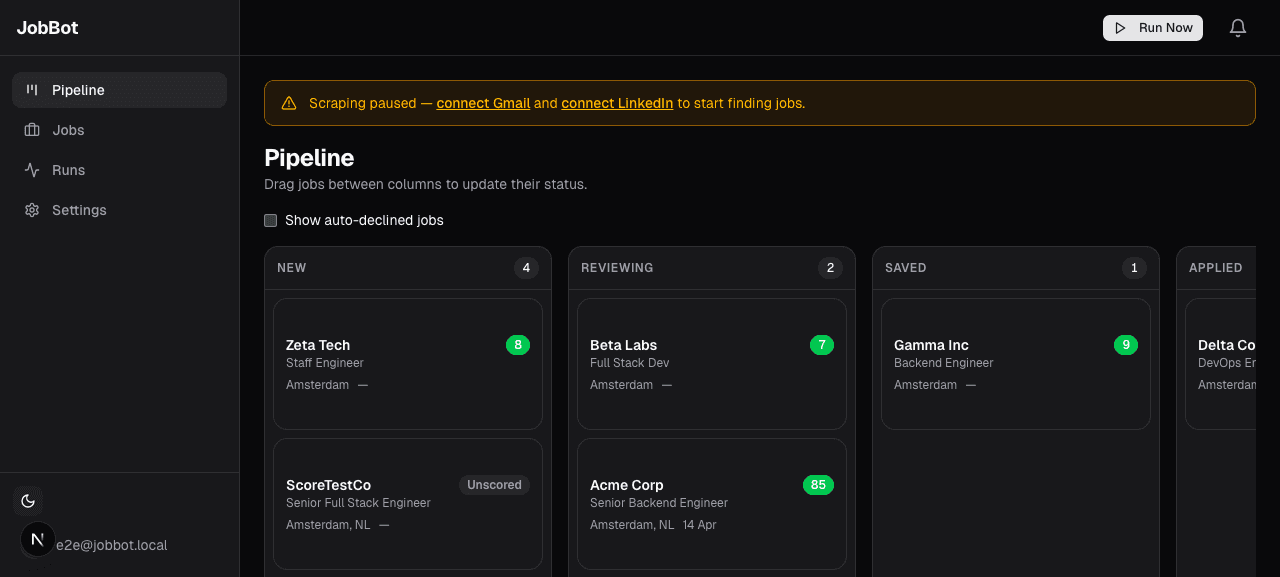 The board after a run. Each card has an AI score. I only look at what passes.
Why Keywords Can't Do This
A keyword filter matches patterns. An LLM reads the job description the way you would — and compares it to what you actually care about.
The scoring prompt is fully editable. I tuned mine over a few runs until its instincts matched mine. Now when it says 8, I apply. When it says 3, I don't look twice.
 The profile tab. Structured fields give the LLM context. The scoring prompt defines the rubric.
What Actually Changed
One week in: 40 emails a day → 6–8 scored, relevant roles per run.
One role I got an interview for came through at 7am. I applied at 9am. The recruiter said I was one of the first five candidates.
Speed matters. By the time you process 40 alerts manually, the best roles have 200 applications.
 Job detail: score badge, scraped description, pipeline status. One click to apply or decline.
Open Source, MIT License
I open-sourced Jobot because too many developers are doing this manually and don't need to be.
It runs on local SQLite or Vercel + Postgres. Same codebase, one environment variable change. LLM providers: OpenAI, Anthropic, OpenRouter, MiniMax — you pick.
Try it:
- Live site and early access: jobot.cc
- Full source: github.com/sharonds/jobot
Setup takes about 15 minutes. After that, the agent runs. You just show up for the interviews.
Built this for myself. Sharing it because the problem is everywhere.
Further reading
- How I Built an AI Agent That Finds Warm Leads While I Sleep
Browser automation, signal stacking, and a Telegram alert every Monday morning
- How AI Agents Work: A Practical Guide
The technical fundamentals behind modern AI agent systems